Remove image backgrounds in seconds
Upload a photo and get a clean cutout with a transparent background. It runs in your browser, so your image is not uploaded.
Example result
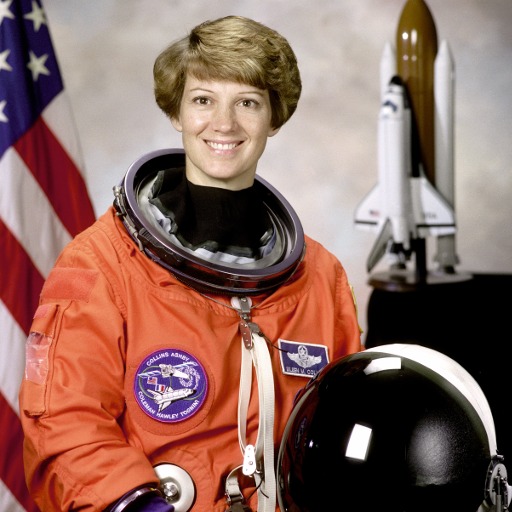
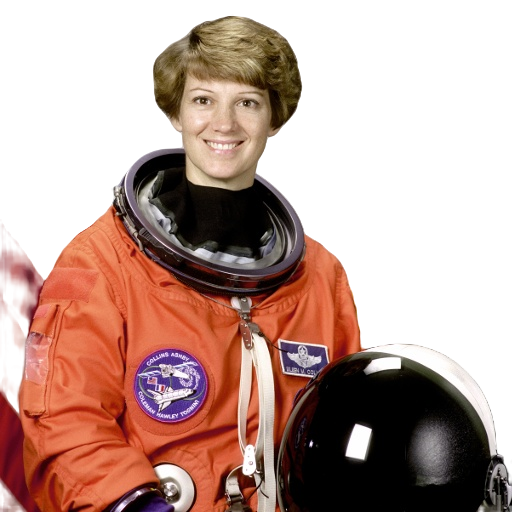
Photo: Eileen Collins, NASA (public domain).
How it works
- Step 1
Upload
Drop in a JPEG, PNG or WebP photo.
- Step 2
Remove
An AI model running in your browser finds the subject and cuts out the background.
- Step 3
Download
Save a transparent PNG, or put a new colour or photo behind it first.
What you get
Real transparency
Cutouts are true RGBA PNGs, ready for online stores, slides and design tools.
Swap the background
Pick a colour or upload your own photo. The AI does not need to run again.
Full-resolution download
Exports keep your photo's pixels, up to 2048px on the longest side.
- Product photography
- Portraits and profile pictures
- Marketing graphics
- Online store listings
Frequently asked questions
Is my image uploaded anywhere?
No. The AI model runs in your browser, so your photo stays on your device. Only the model and runtime files are downloaded from this site the first time, then cached by your browser.
Which files work?
JPEG, PNG and WebP up to 15 MB. Very large photos are scaled so the longest side is at most 2048px.
How good are the results?
Best with a clear subject on a plain or contrasting background. Fine hair and subjects that blend into their background can come out rough, because the default model is small and works at 320 × 320 internally.
Why is the first run slower?
Your browser downloads the AI model (about 4.6 MB) and a 14 MB runtime once. After that they are cached and later images process faster.
Privacy
Background removal happens inside your browser. Your photo is not sent to our servers or to any third party, and this site uses no analytics. When you first use the tool, your browser downloads the AI model and runtime from this site and caches them. If this changes, for example by adding analytics or a server-side option, this section must be updated.